You can re-enable the preview panel within File explorer in a limited capacity. This workaround is a temporary fix, while Microsoft corrects the recent issues with the Preview Panel.
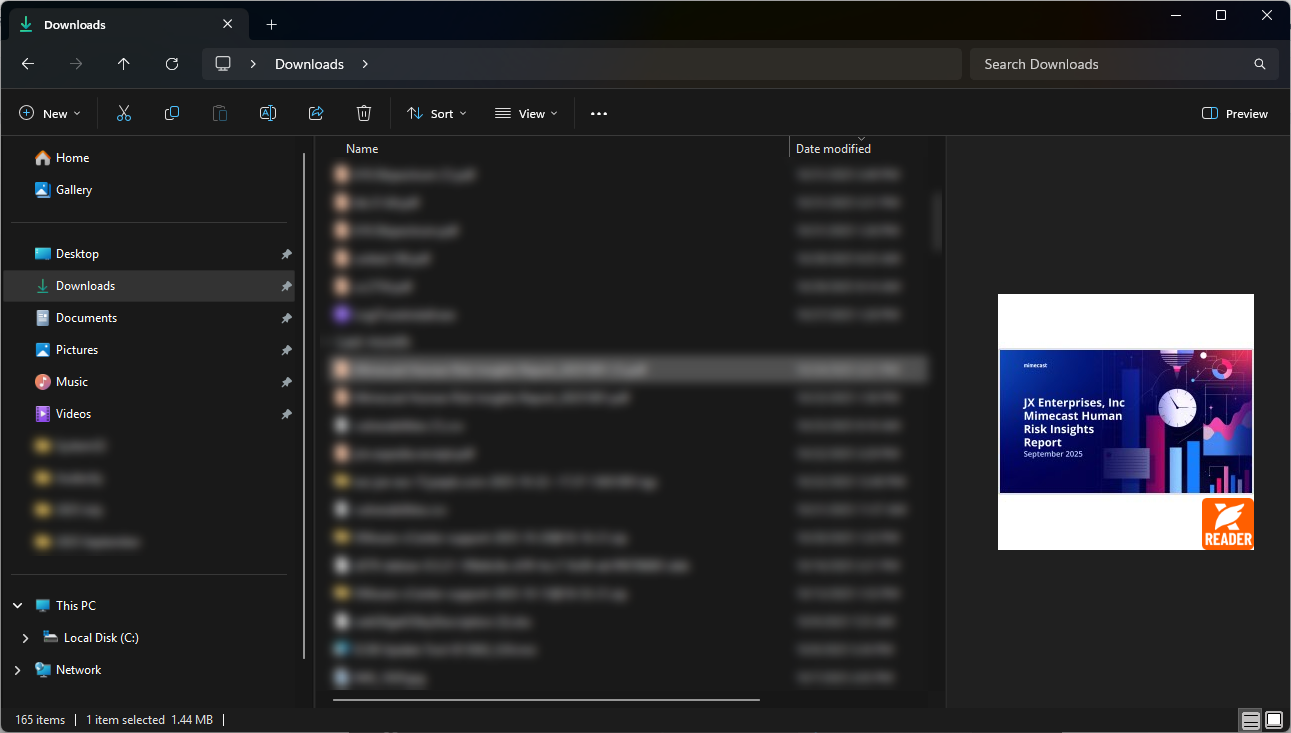
Please note that this workaround causes the preview to only show the first page in a smaller view. It is still large enough to see what the document is however.
Preview Panel Workaround Example:
Here are the steps to complete this workaround:
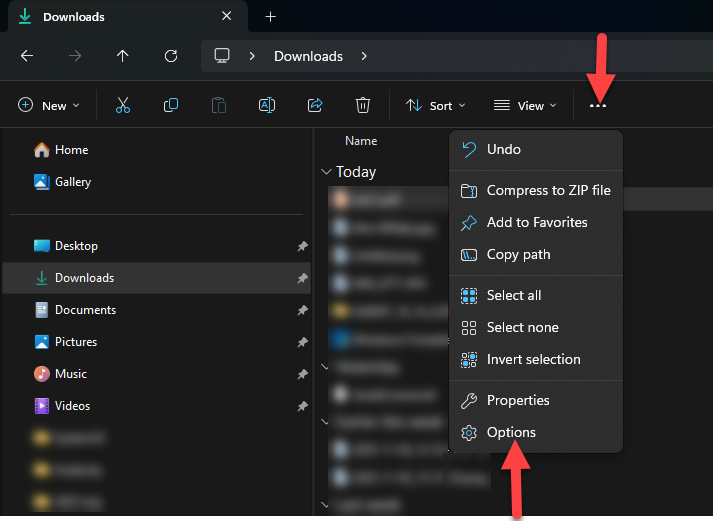
- Open File Explorer and click on the 3 horizontal dots in the upper toolbar
- Choose "Options" from the bottom of the drop down
- Once in Folder Options, open the "View" tab
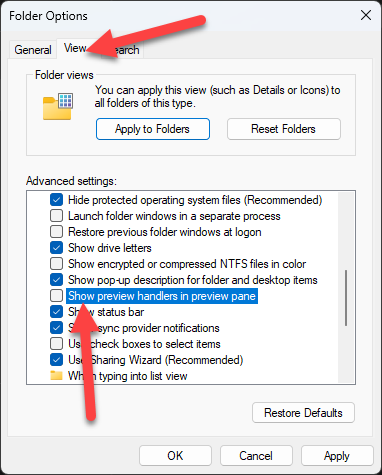
- Scroll down to the setting "Show preview handlers in preview pane" and unselect it
- Hit "OK" or "Apply" on the bottom of the Window to finish