1. open your report in power bi desktop
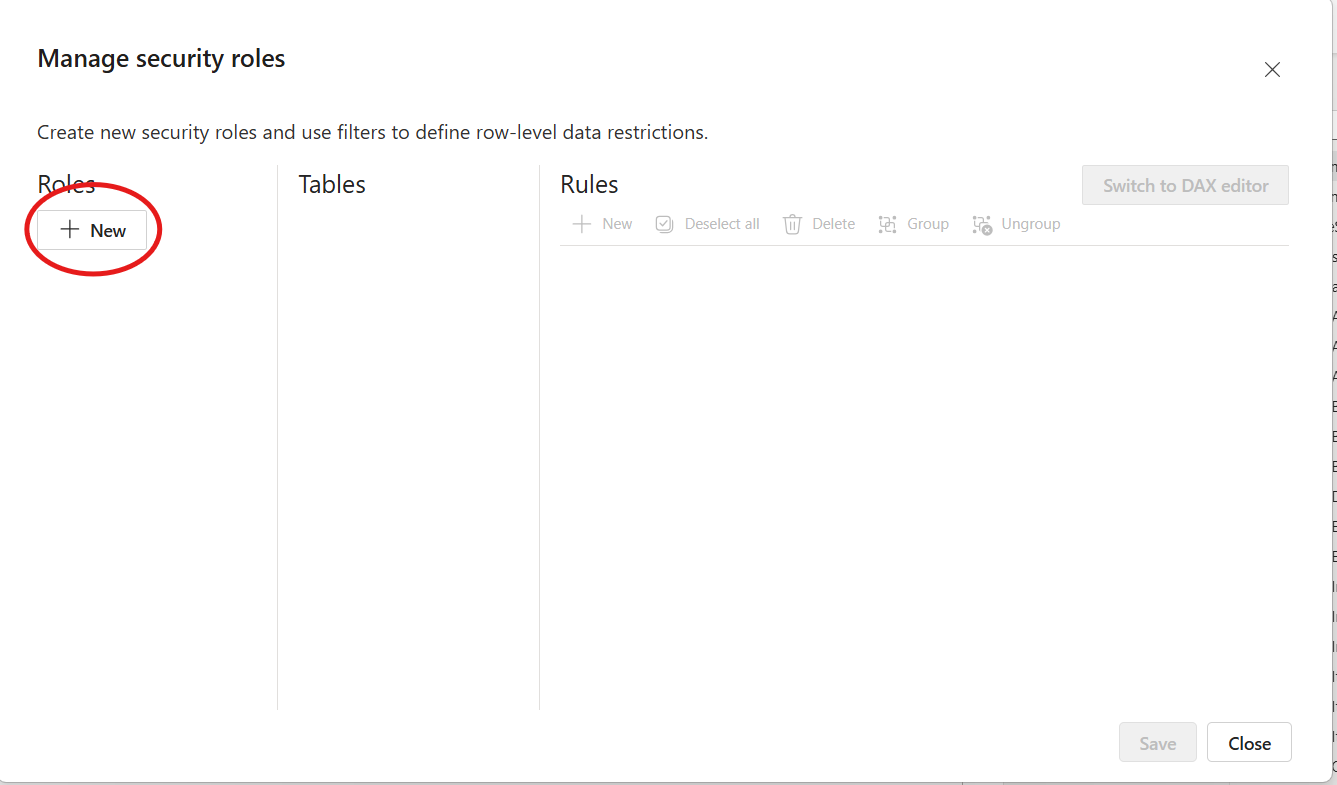
2. click on modeling - manage roles
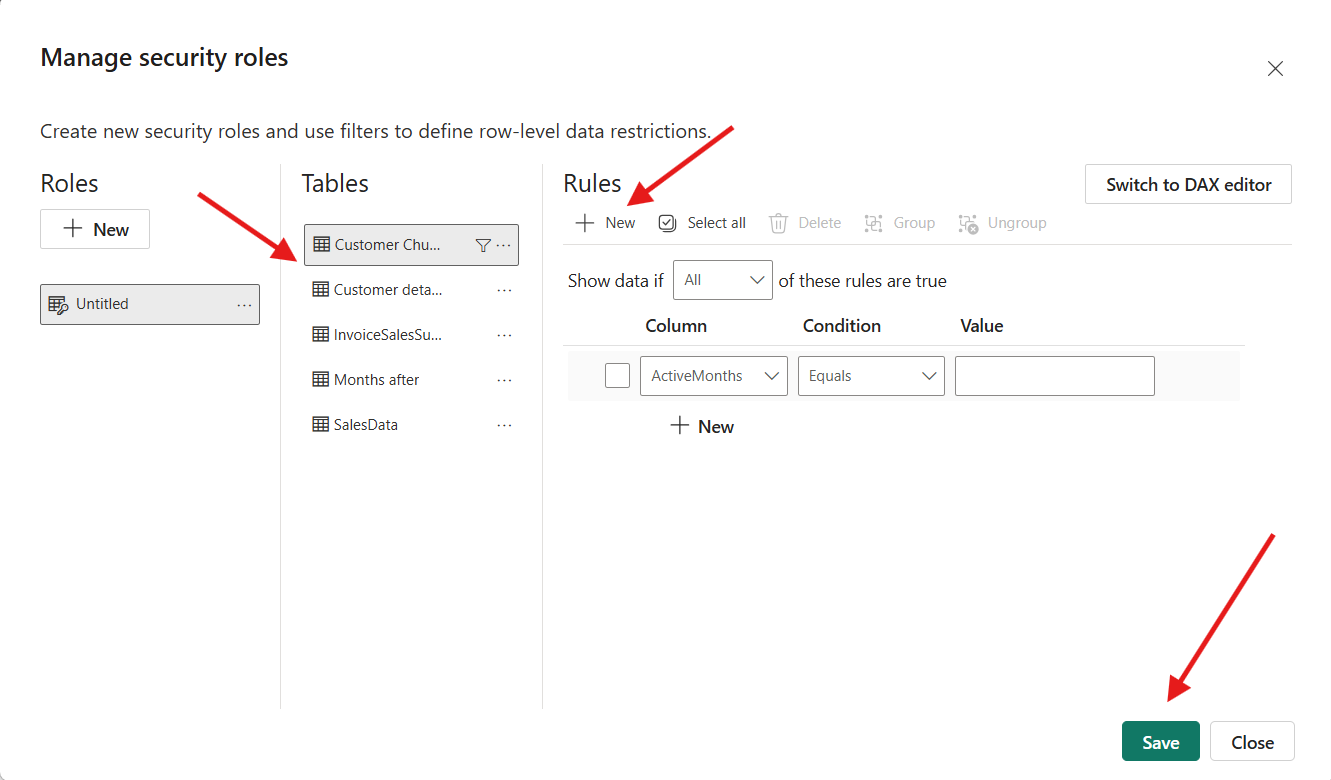
3. under roles click on new -from tables select the table you want to create RLS ( eg: select one with branch) - in rules click on new and select the column on which you want to set up RLS ( eg : branch name) - choose condition like 'equal to' or any other - in value add your value and save
for eg : branch ( column) equals ( condition) GRAND ( branch)

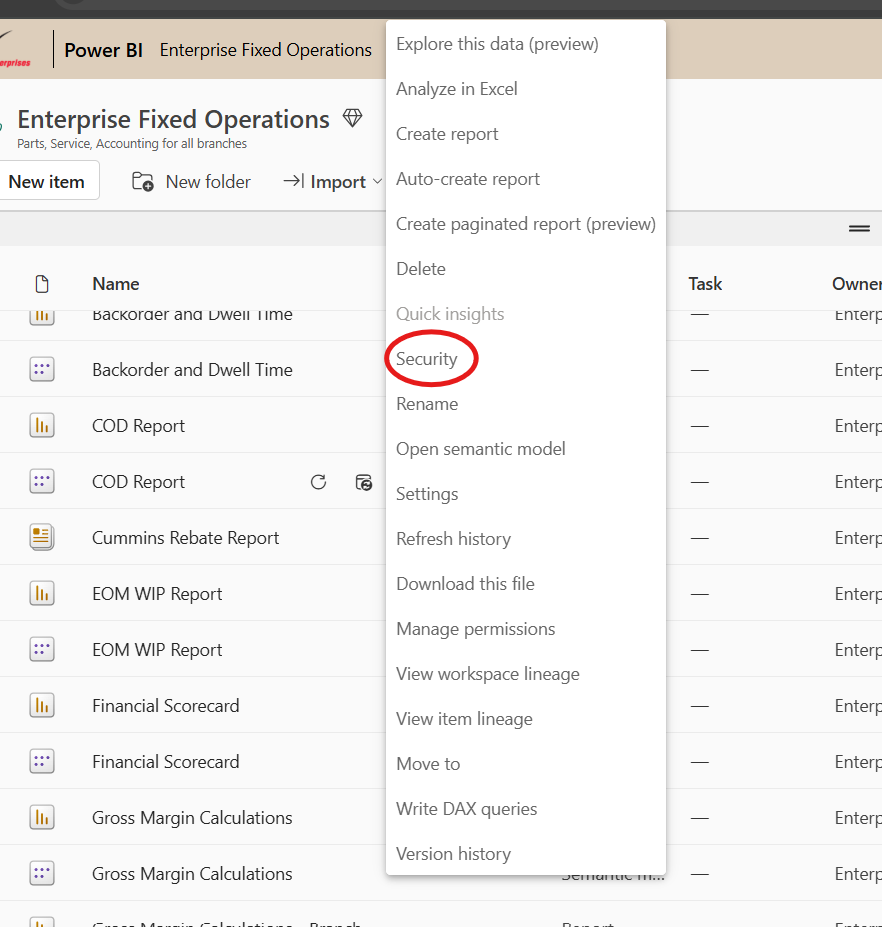
4.Open that report in power bi services - click on the 3 dots and select security
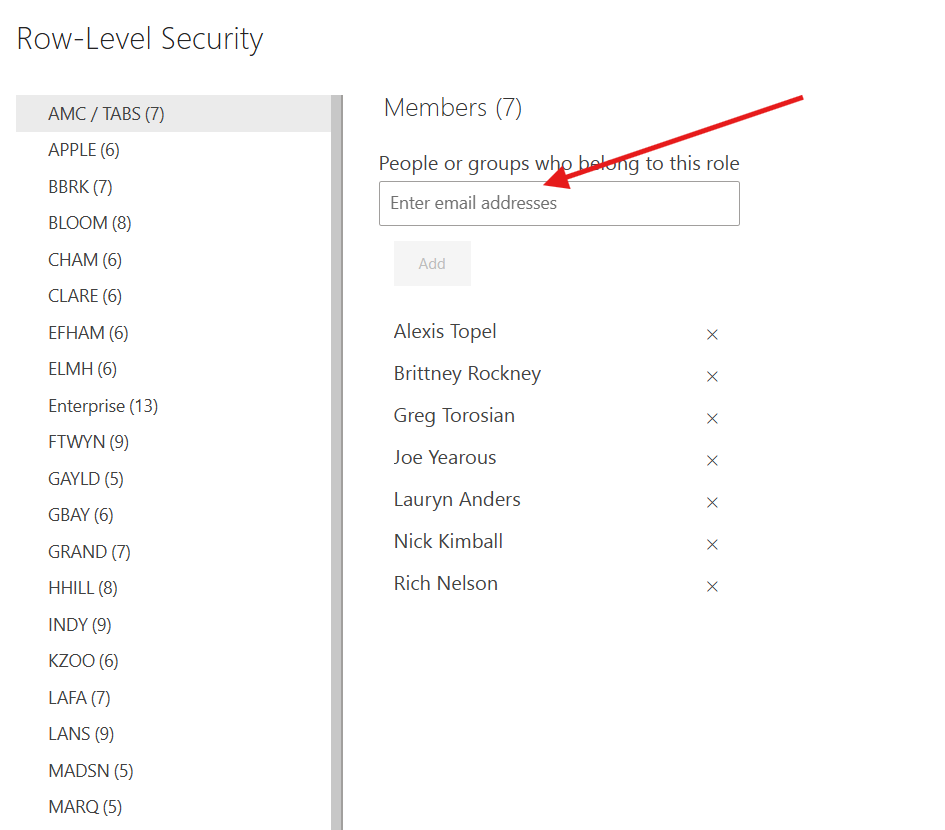
5. Add RLS for person and save