
RingCentral Reporting and and analytics can be accessed in the follwoing ways:
Use this link to Login to the RingCentral Admin Portal:
https://service.ringcentral.com/
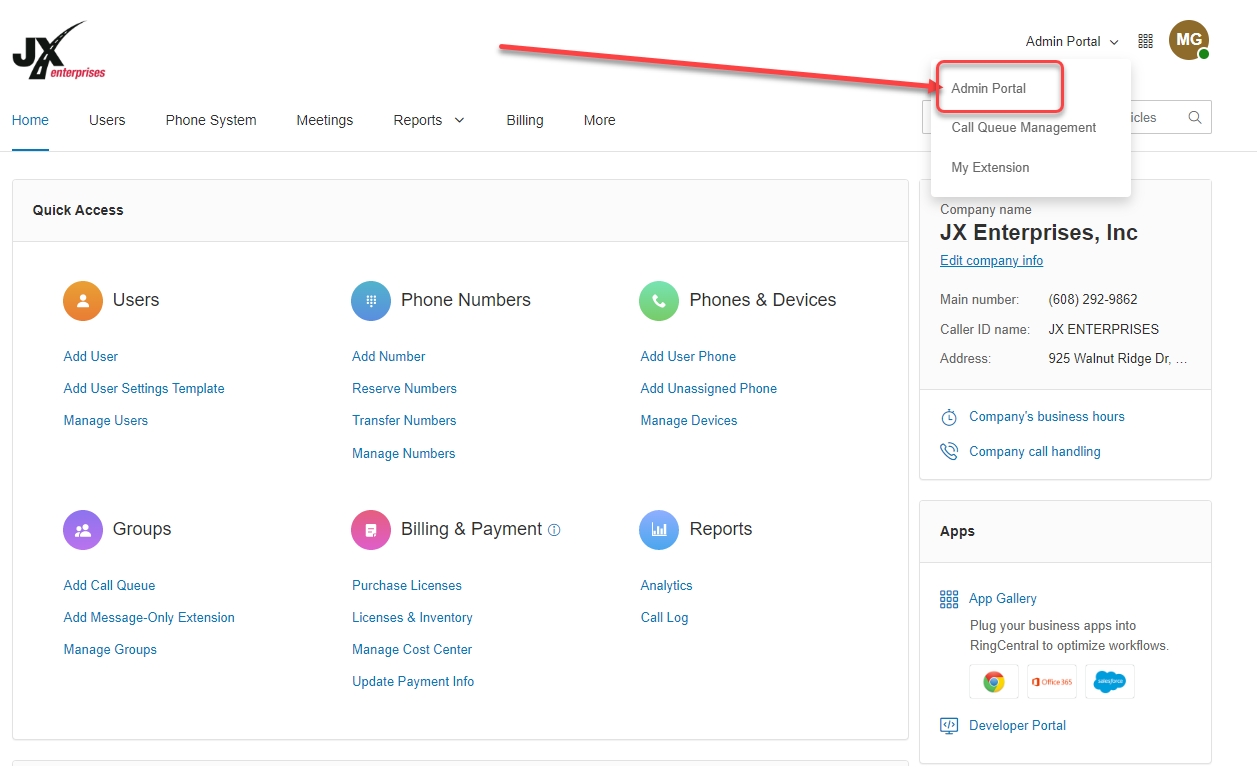
After logging into the RingCentral WebPortal, make sure that the Admin Portal is selected:
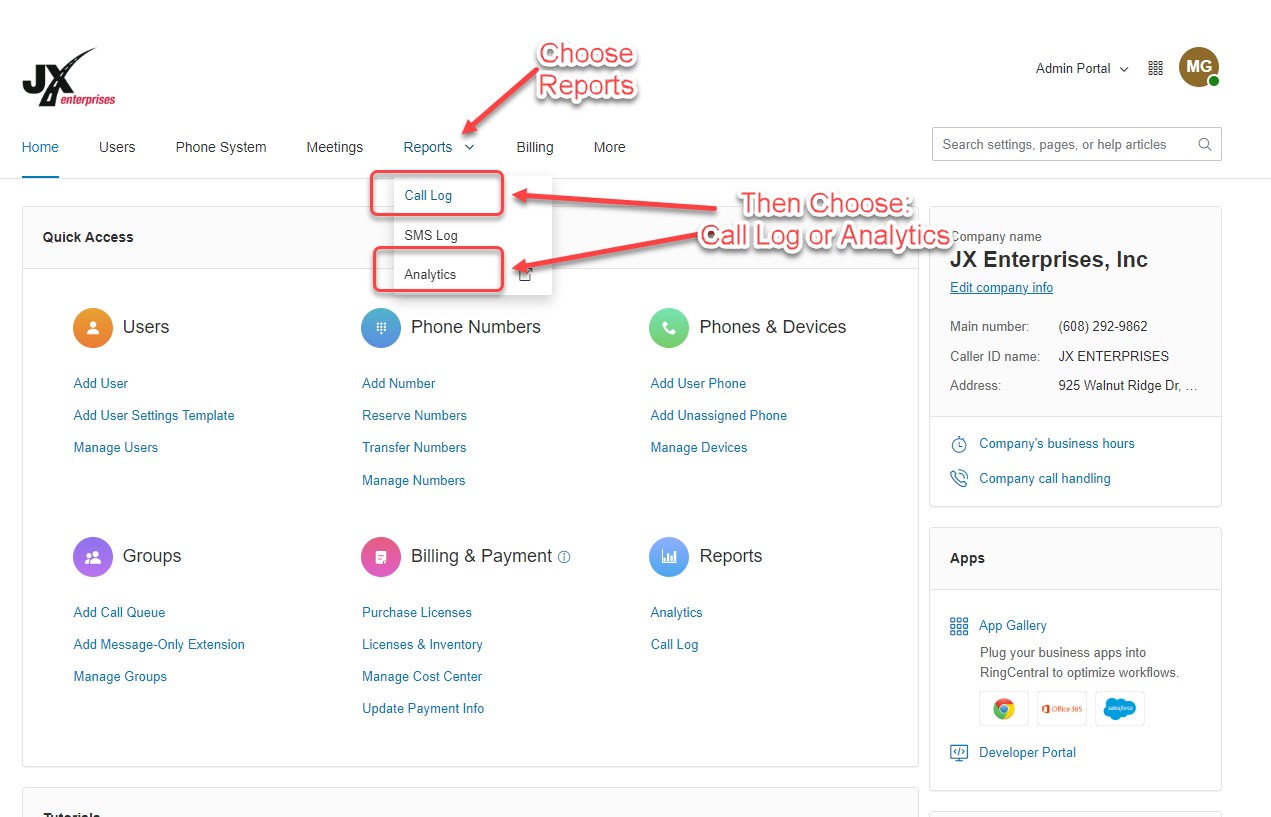
Access either the Call Log(s) or Analytics from here:
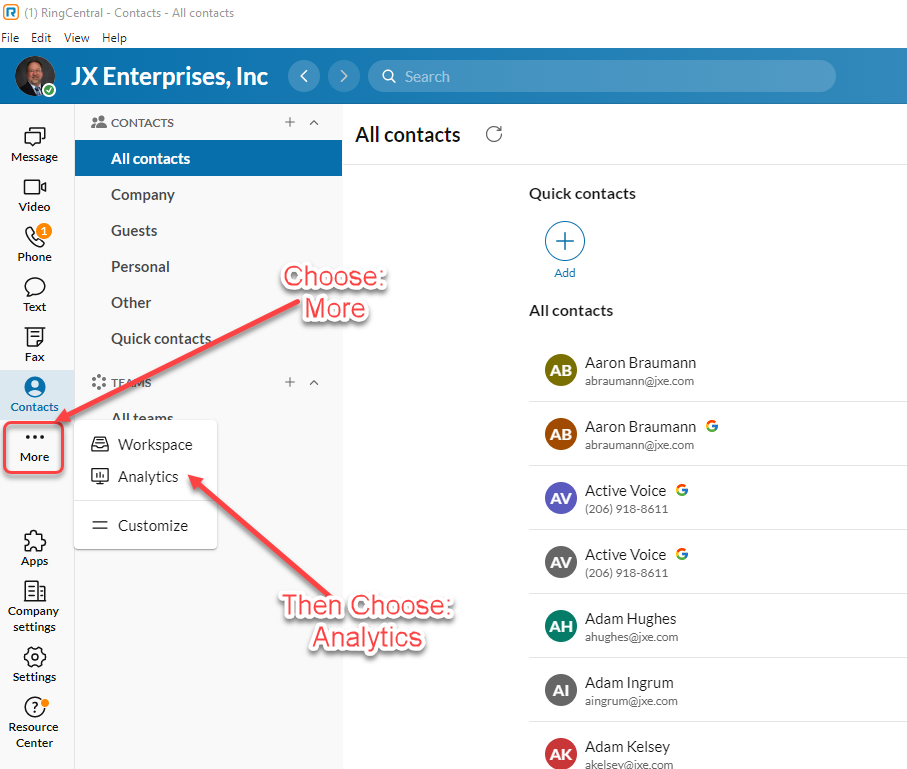
Analytics can also be access directly from the RingCentral Desktop Application:
After Choosing Analytics:
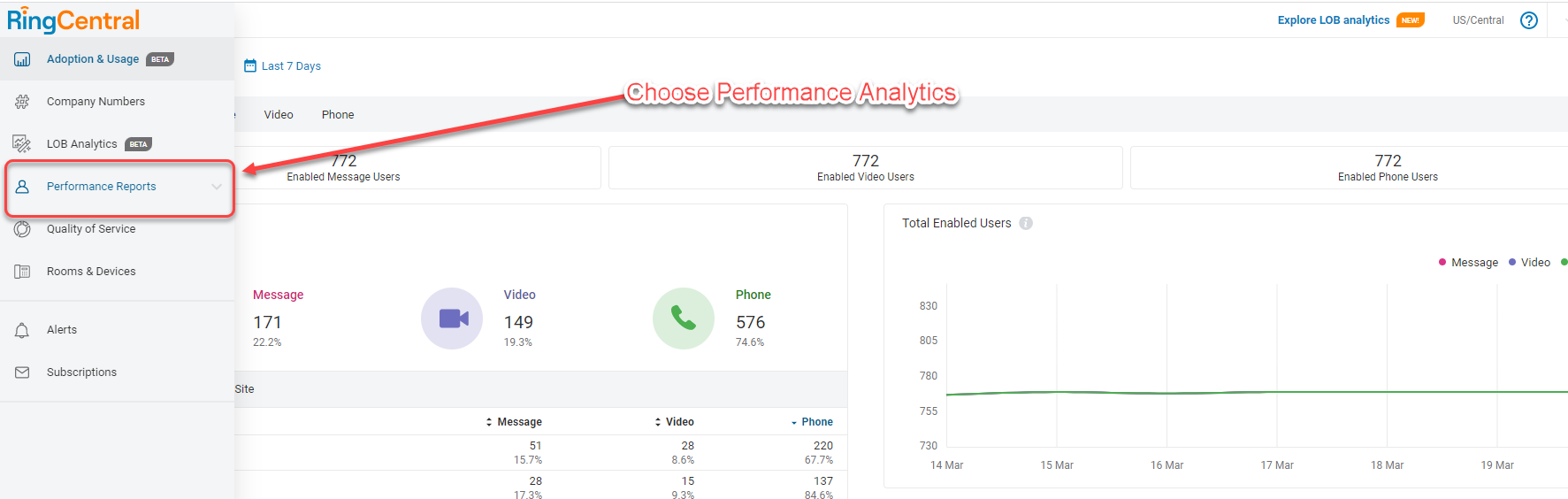
From here, you should be able to navigate to the Metrics and/or the Call Queus or People you need the reporting for.